
Is Fish Audio Free? The Short Answer
Yes. Fish Audio's S2.1 Pro TTS model is free at $0 under a fair-use policy — no monthly credits or public voice slots required. You can create an API key in about a minute and start generating speech right away.
Fish Audio uses one API key for TTS and voice APIs. The S2.1 Pro free API model is a $0 fair-use offering, separate from plan-page monthly credits and public voice slots.
Get the API key
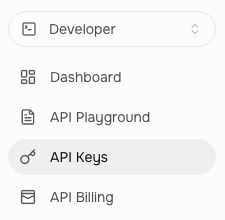
- Open Fish Audio, register or sign in, then switch to Developer.
- Select API Keys in the sidebar and click Create API Key.
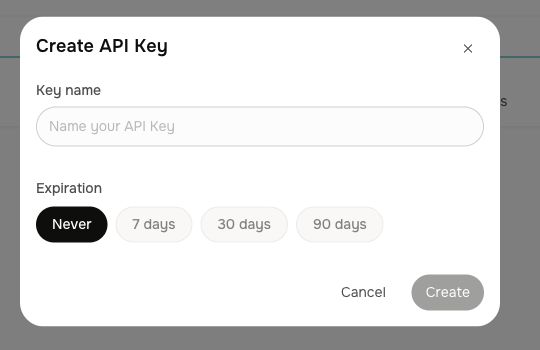
- Enter a key name, choose an expiration period, and click Create.
- Copy the key when shown and store it securely.
Fish Audio screenshots

Use the key on Free AI API
Paste the key into the API Key field on the Fish Audio S2.1 Pro TTS endpoint page. Leave Voice ID empty for the default voice or enter a reference ID, then generate MP3 audio.
The $0 fair-use API model is not the same as the plan page's 8,000 monthly credits or three public voice slots. Limits can be enforced under fair use.
Security: never publish the key. Free AI API forwards it for the current request and does not store it on the server.
Community Feedback
Comments are tied to your GitHub account — sign in to join the discussion.